



Webflow Pricing: A Complete Guide to Every Plan and What You’ll Actually Pay
If you’re researching Webflow pricing before committing to the platform, you’re asking the right question at the right time. Webflow rolled out one of its biggest pricing overhauls in years back in May 2026, merging plans, adjusting rates, and introducing entirely new tiers. Understanding Webflow pricing today means understanding a slightly different structure than what existed even twelve months ago, and getting it wrong can mean paying for features you don’t need or missing out on ones that would save you money.
This guide walks through every layer of Webflow pricing, from the free Starter option all the way up to custom Enterprise contracts, so you can choose the plan that actually fits your project rather than guessing.
How Webflow Pricing Is Structured
Before comparing numbers, it helps to understand that Webflow pricing isn’t a single line item. It’s built from two or three separate purchases that stack together. There’s a Workspace plan, which governs who can log in, collaborate, and manage your account. There’s a Site plan, which determines what an individual published website can actually do, including CMS capacity, bandwidth, and static page limits. And depending on your needs, there may be optional add-ons like Optimize for A/B testing, Analyze for native analytics, or Localize for translating your site into other languages.
Think of it the way you’d think about a gym membership and a personal trainer. The Workspace is your membership, giving you access to the building and its shared equipment. The Site plan is closer to a specific program tailored to your goals. Most people researching Webflow pricing focus only on the Site plan number they see advertised, then get surprised later when Workspace seats and add-ons show up on the invoice.
Webflow Pricing for the Starter Plan
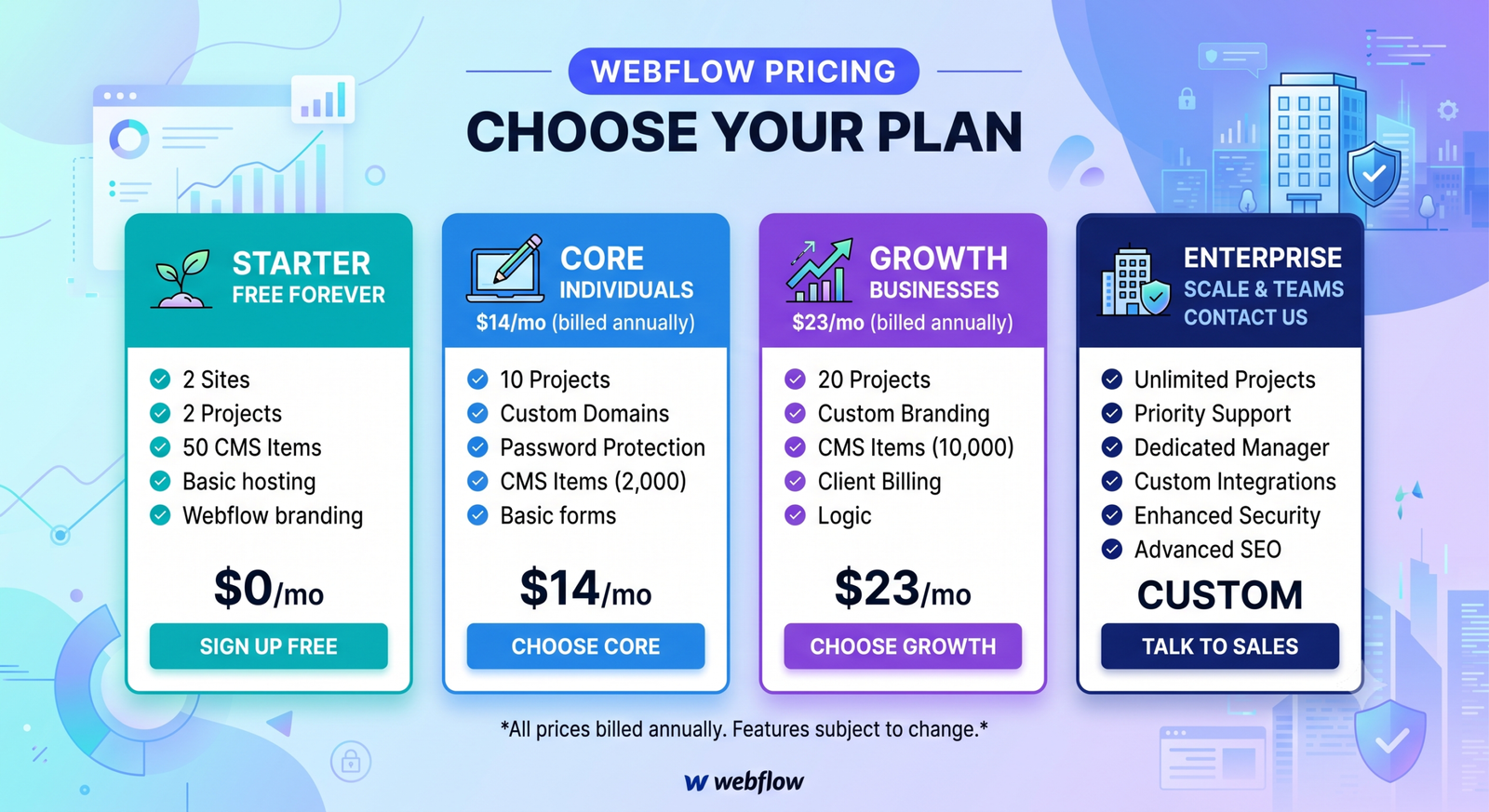
Every Webflow account begins with the free Starter Site plan. It’s genuinely useful for testing the platform, building a portfolio you’re not ready to publish, or prototyping a client project before pitching it. You get a subdomain under webflow.io rather than your own custom domain, a couple of pages, a small CMS allowance, and limited bandwidth. The “Made in Webflow” badge stays visible on the site.
For anyone who wants to actually launch a site on their own domain, this is where Webflow pricing conversations really begin, because Starter isn’t meant to be a permanent home for a live business website.
Webflow Pricing for General Site Plans
Once you’re ready to publish, Webflow’s general Site plans come into play, and this is where the May 2026 restructuring changed things the most. The Basic plan, aimed at simple static sites like brochure pages or small portfolios with no CMS requirement, now runs $15 per month on annual billing, up slightly from its previous rate, but with the static page allowance doubled to 300 pages.
The bigger shift in Webflow pricing involves the Premium plan, which absorbed what used to be two separate tiers, the CMS plan and the Business plan. Webflow combined them into one option priced at $25 per month billed annually, or $39 per month billed monthly. Premium now includes 20,000 CMS items and 40 CMS Collections by default, which means the CMS item add-ons many customers used to pay for separately have essentially disappeared. If your project needs dynamic content, blog functionality, or a searchable directory, Premium is where most serious Webflow builds land.
For organizations with far larger requirements, governance needs, or custom security demands, Webflow Enterprise remains a custom-quoted plan. There’s no published number here because pricing is scoped individually based on traffic, team size, and support requirements.
The New Team Plan and What It Means for Webflow Pricing
One of the more notable additions to Webflow pricing this year is the Team plan, an all-in-one offering priced at $2,500 per month on an annual contract. It bundles a site with 100 CMS Collections, ten workspace seats, Localization, and features that were previously locked behind Enterprise, such as page branching and single-page publishing. It’s built for fast-growing teams that have outgrown a self-serve setup but aren’t ready for the complexity or cost of a full Enterprise agreement. If you’re managing content across marketing, product, and operations teams simultaneously, this tier closes a real gap that used to exist in Webflow pricing.
Workspace Plans and Seats
Separate from Site plans, Webflow pricing also includes Workspace tiers that control collaboration. A free Starter Workspace gets you going with limited staging sites. Paid tiers add more staging environments, advanced permissions, and collaboration tools for growing teams. On top of the Workspace base price, you’ll typically pay per seat, with Full Seats, Limited Seats, and Free reviewer seats priced differently depending on how much design and editing access each teammate needs.
This is the part of Webflow pricing that catches people off guard most often. A five-person marketing team doesn’t just pay the plan’s base rate; they pay the base rate plus however many seats they need layered on top, which can meaningfully change the monthly total.
Add-Ons That Affect Your Total Webflow Pricing
Beyond Site and Workspace plans, Webflow pricing can include optional add-ons. Optimize enables A/B testing, multivariate testing, and AI-assisted personalization for conversion-focused teams. Analyze offers built-in analytics that’s lighter weight than something like Google Analytics but convenient for teams who want data inside the same dashboard where they build. Localize lets you translate your site using machine learning, and you can preview translations for free, only paying once you actually publish them live.
Webflow also introduced AI credits across every Workspace plan in 2026, tied to its growing set of AI-powered design and content tools. Credit limits are being phased in gradually, giving existing customers time to understand their usage patterns before enforcement begins.
Ecommerce Webflow Pricing
If you’re building an online store rather than a marketing site, Webflow pricing shifts to a separate ecommerce track. These plans are purchased in addition to a standard Site plan and unlock features like custom checkout design, branded order emails, and support for a growing number of products and variants. Ecommerce pricing has stayed largely stable through the 2026 changes, with higher tiers unlocking unbranded transactional emails and support for larger catalogs.
Annual Versus Monthly Billing
Across nearly every tier, Webflow pricing rewards annual commitment. Paying yearly typically saves a meaningful percentage compared to paying month to month, sometimes more than 20 percent depending on the plan. If you’re fairly confident you’ll stick with a site long term, annual billing is almost always the more economical choice. If you’re still testing whether Webflow is the right fit, monthly billing gives you flexibility at a modest premium.
Choosing the Right Plan for Your Situation
Freelancers and solo builders working on a handful of client sites usually find that Basic or Premium, paired with a modest Workspace seat count, covers everything they need. Small businesses running content-heavy marketing sites tend to land on Premium because of its generous CMS allowance. Growing companies juggling multiple contributors and needing structured publishing workflows are the ideal audience for the new Team plan. And large organizations with compliance, security, or custom integration requirements will end up in Enterprise conversations regardless of what the self-serve pricing page shows.
Whatever your situation, the smartest way to approach Webflow pricing is to map out your actual site requirements first, including CMS volume, expected traffic, and how many people need editing access, before comparing plan tiers side by side. For more on getting your site structured efficiently once you’ve chosen a plan, check out our related guide on building a CMS collection strategy for content-heavy Webflow sites.
Conclusion
Webflow pricing in 2026 is more consolidated than it used to be, but it still rewards a little homework before you commit. The Premium plan covers most content-driven business sites at a predictable monthly rate, Basic suits simple static pages, and the new Team tier fills a genuine gap for growing organizations. Layer in Workspace seats and any add-ons you actually need, and you’ll have a realistic picture of your total cost rather than just the number on the pricing page. For the most current figures before you buy, it’s always worth cross-checking against Webflow’s official pricing page directly, since rates and included features can shift as the platform evolves.
Visit also : Trendlymora.com
Is there a free version of Webflow?
Yes. The Starter Site plan is free and lets you build and explore the Webflow Designer, but your site publishes to a webflow.io subdomain rather than a custom domain, and the Webflow badge remains visible.
What is the cheapest paid Webflow plan?
The Basic Site plan is Webflow’s most affordable paid option, currently priced around $15 per month on annual billing. It works well for static sites without CMS needs but doesn’t include dynamic content features.
Do I need both a Workspace plan and a Site plan?
In most cases, yes. The Workspace plan controls who can access and collaborate on your account, while the Site plan determines what your published website can do. Many small projects can start with a free Workspace and just a paid Site plan.
Does Webflow pricing include hosting?
Yes, hosting is bundled into every paid Site plan. You don’t need to purchase separate hosting, though you will need to buy your own domain name through a registrar since Webflow doesn’t sell domains directly.
Is annual or monthly billing better for Webflow pricing?
Annual billing is almost always cheaper, often saving more than 20 percent compared to paying monthly. Monthly billing makes sense mainly if you’re still evaluating whether Webflow fits your long-term needs.
