



Introduction
Every growing team reaches a point where information becomes difficult to manage. Project updates live in chat messages, documentation gets buried in folders, and important decisions disappear into endless email threads. Finding the right information often takes longer than doing the actual work.
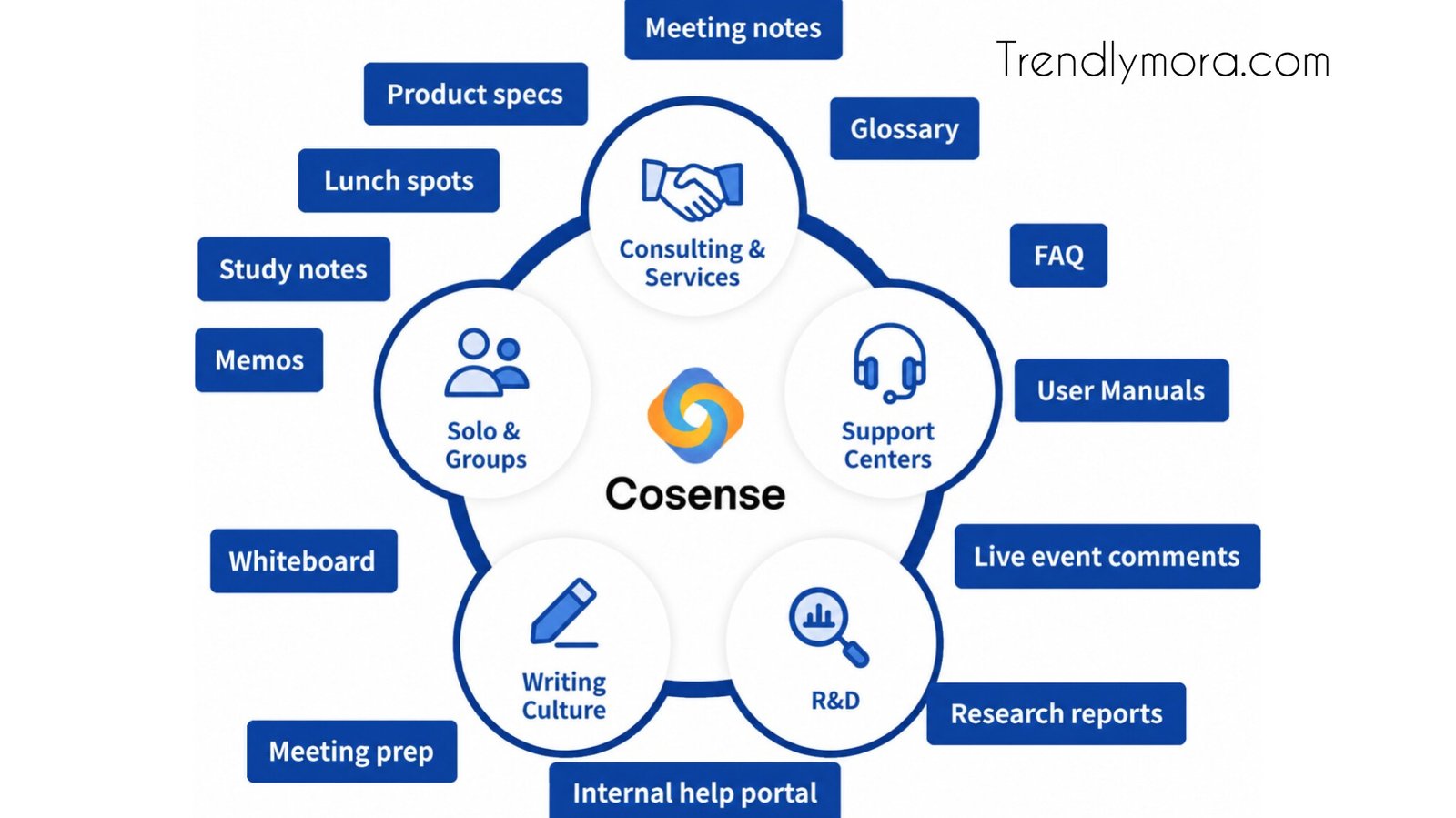
CoSense is designed to solve that problem by bringing knowledge, documentation, and team collaboration together in one organized workspace. Rather than treating documentation as an afterthought, it encourages teams to capture knowledge continuously so everyone can find reliable information when they need it.
Whether you’re managing software projects, documenting internal processes, or building a company knowledge base, understanding how CoSense works can help you decide if it fits your workflow. This guide explains its features, benefits, practical use cases, and how it compares with traditional documentation tools.
What Is CoSense?
CoSense is a collaborative knowledge management platform that helps teams create, organize, and share information efficiently. Instead of storing documents across multiple applications, CoSense centralizes knowledge in a searchable workspace.
The platform supports collaborative editing, documentation, note-taking, and structured knowledge sharing. Team members can contribute ideas, update existing documentation, and connect related information, making it easier to maintain accurate records over time.
Unlike static document repositories, CoSense focuses on creating living documentation that evolves alongside projects and organizational knowledge.
Why Knowledge Management Matters
Businesses generate new information every day. Without a structured system, valuable knowledge often becomes scattered across different platforms.
Common challenges include:
Employees repeating previously solved problems
Difficulty finding updated documentation
Information locked inside private conversations
Time wasted searching for project details
Loss of knowledge when employees leave
A knowledge management platform like CoSense addresses these issues by creating a single source of truth that everyone can access.
Key Features of CoSense
Centralized Documentation
CoSense allows organizations to store documentation in one location. Teams can create pages for projects, processes, meeting notes, product specifications, and technical documentation.
Everything remains organized and searchable, reducing confusion caused by multiple document versions.
Real-Time Collaboration
Multiple users can contribute to documents, edit content, and share ideas without creating duplicate files.
Real-time collaboration makes it easier for distributed teams to work together regardless of location.
Benefits include:
Faster updates
Shared ownership
Reduced communication gaps
Better documentation quality
Powerful Search
One of CoSense’s strongest capabilities is helping users locate information quickly.
Instead of manually browsing folders, users can search for keywords, project names, or specific topics to retrieve relevant documentation.
Efficient search saves time and improves productivity across teams.
Knowledge Linking
Information rarely exists in isolation.
CoSense allows related pages to connect with one another, creating an interconnected knowledge base rather than separate documents.
For example:
Meeting notes can link to project plans.
Product documentation can reference design decisions.
Technical guides can connect to troubleshooting resources.
This structure makes navigation much easier.
Version History
Changes are inevitable.
CoSense tracks document revisions, allowing teams to review previous versions if necessary.
Version history provides:
Accountability
Easier collaboration
Error recovery
Documentation transparency
Team Discussions
Rather than switching between messaging apps and documents, CoSense enables discussions around documentation itself.
This keeps conversations connected to the relevant information, reducing context switching.
Benefits of Using CoSense
Better Team Collaboration
When everyone works from the same documentation, communication improves naturally.
Instead of asking coworkers for repeated explanations, employees can reference documented processes independently.
Reduced Information Silos
Many companies struggle with knowledge trapped inside individual departments.
CoSense encourages open documentation, making information available across the organization while respecting access permissions.
Faster Employee Onboarding
New employees often spend weeks learning company processes.
A well-maintained CoSense workspace provides:
Training guides
Standard operating procedures
Team documentation
Product information
This helps new hires become productive sooner.
Improved Decision-Making
Reliable documentation supports better business decisions.
Instead of relying on memory or outdated files, teams can access historical discussions, documented processes, and project records.
Increased Productivity
Employees spend less time searching for answers and more time completing meaningful work.
Even saving a few minutes per task adds up significantly across an entire organization.
Common Use Cases for CoSense
Software Development Teams
Engineering teams can use CoSense to document:
APIs
Architecture decisions
Development workflows
Deployment guides
Bug fixes
Developers benefit from searchable technical documentation that evolves alongside projects.
Product Management
Product managers often manage information from multiple stakeholders.
CoSense can organize:
Product roadmaps
User feedback
Feature specifications
Research findings
Release notes
Keeping everything connected simplifies planning and execution.
Customer Support
Support teams frequently answer similar questions.
Building an internal knowledge base helps agents quickly locate accurate solutions while maintaining consistency.
Human Resources
HR departments can store:
Employee handbooks
Hiring processes
Benefits documentation
Company policies
Training materials
Centralized documentation reduces administrative overhead.
9Marketing Teams
Marketing departments often collaborate across campaigns.
CoSense can organize:
Brand guidelines
Campaign planning
Content calendars
SEO documentation
Research notes
This improves consistency across marketing efforts.
CoSense vs Traditional Documentation Tools
| Feature | CoSense | Traditional Documents |
|---|---|---|
| Real-time collaboration | Yes | Limited |
| Knowledge linking | Yes | Rare |
| Search functionality | Advanced | Basic |
| Centralized workspace | Yes | Often fragmented |
| Team discussions | Integrated | Separate tools |
| Living documentation | Yes | Mostly static |
Traditional document storage works well for simple file management. However, growing organizations usually benefit from tools specifically designed for collaborative knowledge sharing.
Who Should Use CoSense?
CoSense is suitable for organizations that depend on shared knowledge.
It may be especially useful for:
Startups
Remote teams
Software companies
Consulting firms
Marketing agencies
Educational organizations
Research teams
Product development companies
Even smaller businesses can benefit from organizing documentation early before information becomes difficult to manage.
Best Practices for Using CoSense
Create a Clear Structure
Organize documentation into logical categories.
Examples include:
Projects
Operations
HR
Marketing
Engineering
Sales
A consistent structure makes navigation easier.
Encourage Regular Updates
Documentation becomes less valuable when it goes out of date.
Assign ownership so important pages stay accurate.
Keep Information Concise
Long documents can overwhelm readers.
Use headings, bullet points, and short paragraphs to improve readability.
Link Related Content
Whenever possible, connect related documents.
Internal links reduce duplicate information and make the knowledge base easier to explore.
Review Documentation Periodically
Schedule regular audits to remove outdated content and update existing pages.
Maintaining documentation ensures users continue trusting the knowledge base.
Potential Limitations
While CoSense offers many advantages, it may not be the ideal solution for every organization.
Potential considerations include:
Teams need time to build documentation habits.
Initial setup requires planning.
Large knowledge bases need regular maintenance.
Training may be necessary for new users.
These challenges are common with most knowledge management platforms rather than being unique to CoSense.
Tips for Getting Started with CoSense
If your team is adopting CoSense for the first time, begin with a focused approach.
Document your most common workflows.
Create templates for recurring content.
Encourage everyone to contribute.
Use tags and categories consistently.
Review documentation monthly.
Archive outdated information instead of deleting it immediately.
Starting small often leads to better long-term adoption than attempting to document everything at once.
How CoSense Supports Remote Work
Remote and hybrid teams rely heavily on accessible documentation.
CoSense helps reduce dependency on meetings by making project knowledge available asynchronously.
Instead of waiting for someone to answer a question, employees can search the knowledge base and continue working independently. This approach improves efficiency across different time zones and reduces interruptions.
Future of Collaborative Knowledge Management
As organizations continue adopting distributed work models, knowledge management tools are becoming increasingly important.
Modern platforms are moving beyond simple document storage by emphasizing collaboration, discoverability, and continuous knowledge sharing. CoSense reflects this trend by encouraging teams to build documentation that remains useful over time instead of becoming outdated archives.
For organizations focused on long-term efficiency, investing in structured knowledge management can lead to better communication, smoother onboarding, and more informed decision-making.
What is CoSense used for?
CoSense is primarily used for knowledge management, collaborative documentation, and organizing company information in a centralized workspace where teams can easily create, share, and find content.
Is CoSense suitable for small businesses?
Yes. Small businesses can use CoSense to organize internal documentation, standard operating procedures, onboarding materials, and project information before knowledge becomes difficult to manage.
Can remote teams benefit from CoSense?
Absolutely. Remote teams can access shared documentation from anywhere, reducing reliance on meetings and improving collaboration across different locations.
Does CoSense replace document storage?
It can complement or replace traditional document storage depending on an organization’s needs. Its emphasis is on collaborative, searchable, and interconnected knowledge rather than simple file storage.
How does CoSense improve productivity?
By making information easier to find, reducing duplicate work, supporting collaboration, and preserving organizational knowledge, CoSense helps teams spend less time searching for answers and more time completing valuable work.
